Your cameras. Your server. No cloud.

Observatio records your RTSP cameras around the clock on a machine you own. Watch them live, scrub through any day without waiting, and export it as an MP4.

RTSP in · HLS playback · MP4 export · docker compose

Observatio camera list: a camera named Garage at 640×480 with a blurred live preview and Stop, Open and Delete buttons.
The camera list. Each card shows a live preview; Open leads to the stream and the daily recordings.

What you get once it’s running.

Screens from the app itself, nothing mocked up. Everything below sits behind a login.

Read the logs without SSH.

Log files are listed by day, errors kept apart from the rest. Open one and every line becomes a row: time, level, process, source, message, parameters. A live view streams new lines as they are written.
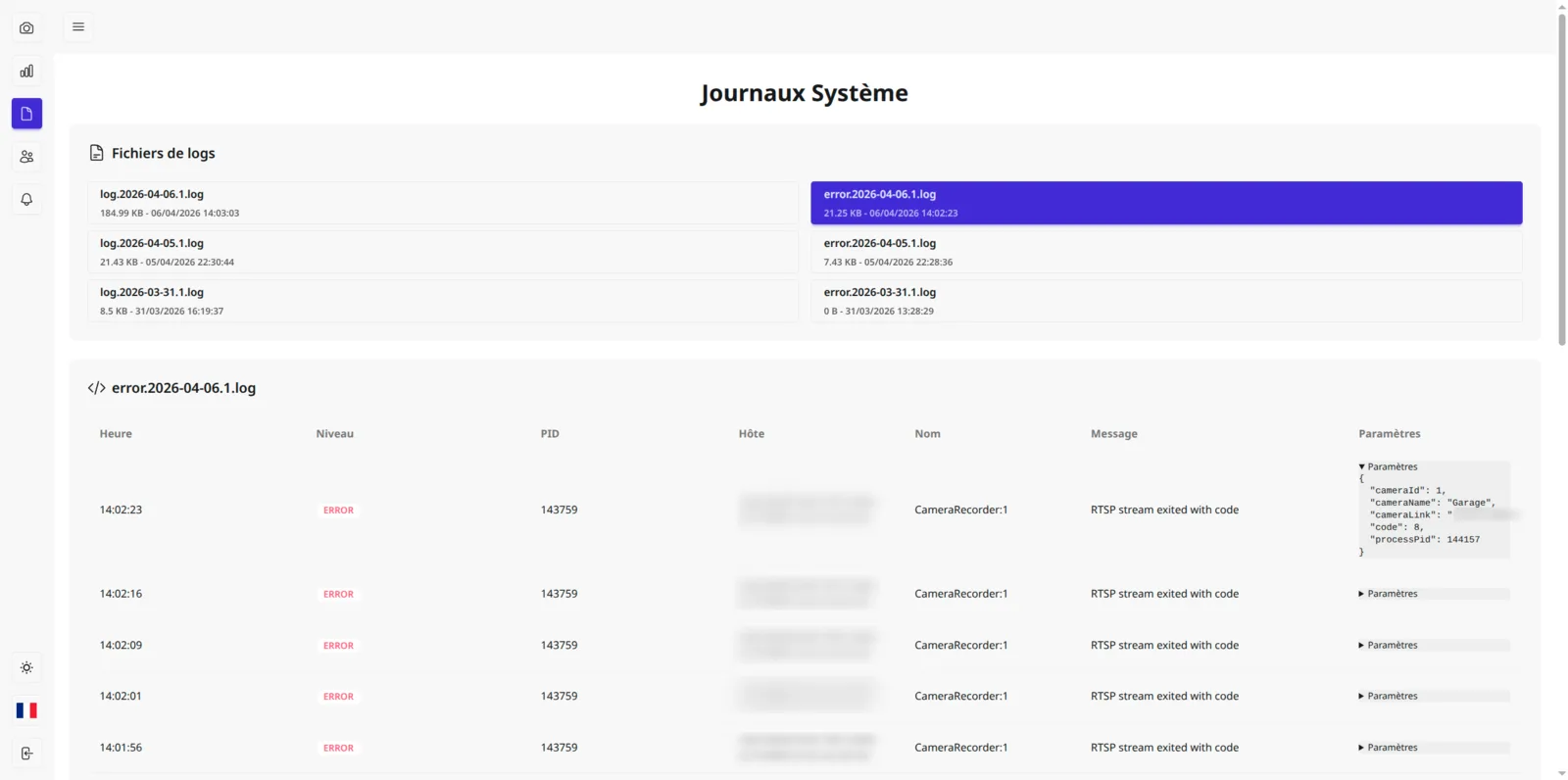
System logs screen: daily log and error files in two columns, and the selected error file shown as a table of timestamped RTSP errors.
  1. Daily files, errors split out
  2. Level, PID and source on every line
  3. Structured parameters, folded until needed
Decide who sees which camera.

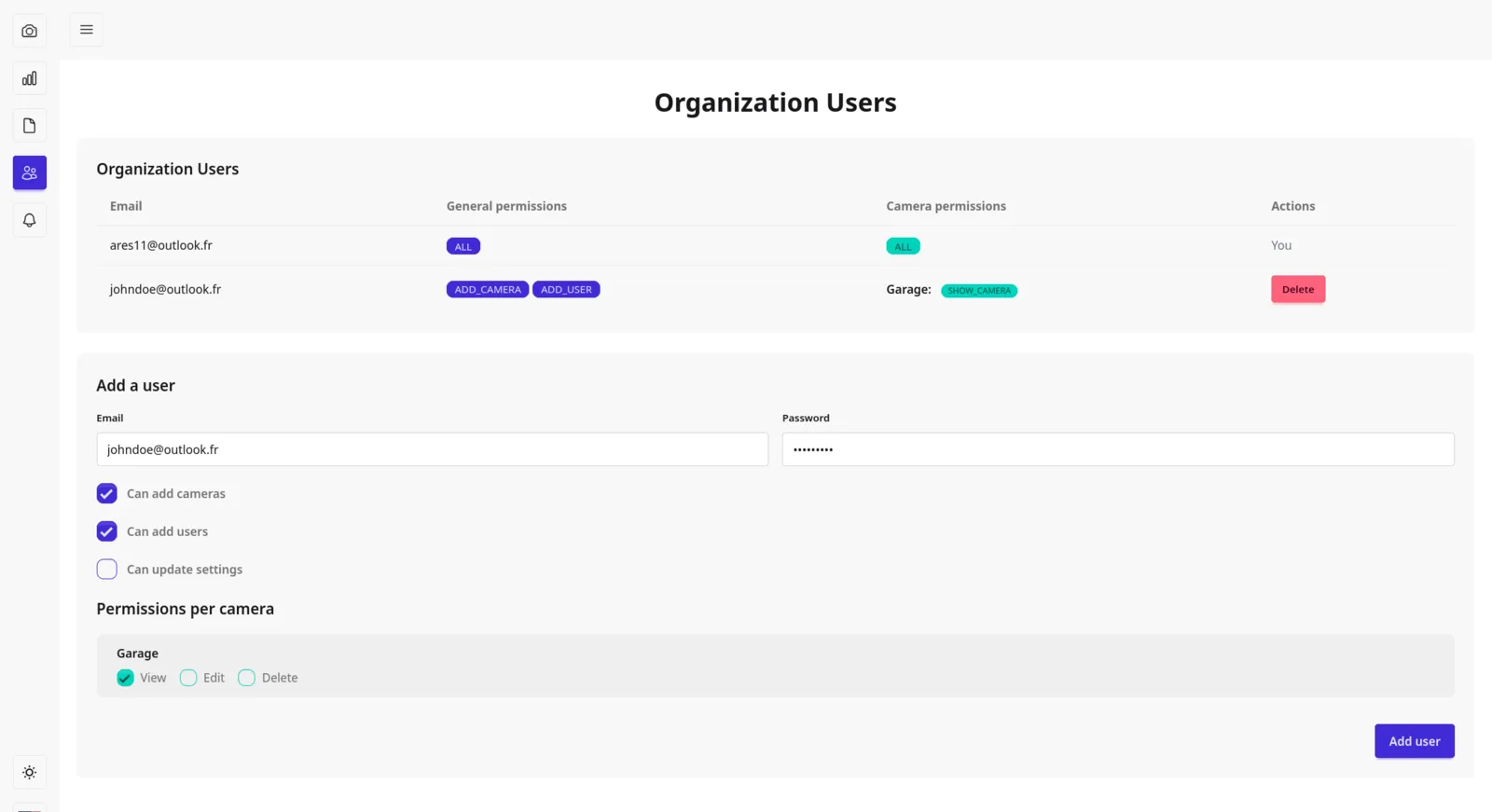
Create accounts, grant general rights — add cameras, add users, change settings — then View, Edit or Delete, camera by camera. The menu only shows what each person is allowed to open.

  1. General permissions per account
  2. View · Edit · Delete for each camera
Organization users screen: a table of accounts with their general and per-camera permissions, and a form to add a user with checkboxes per camera.
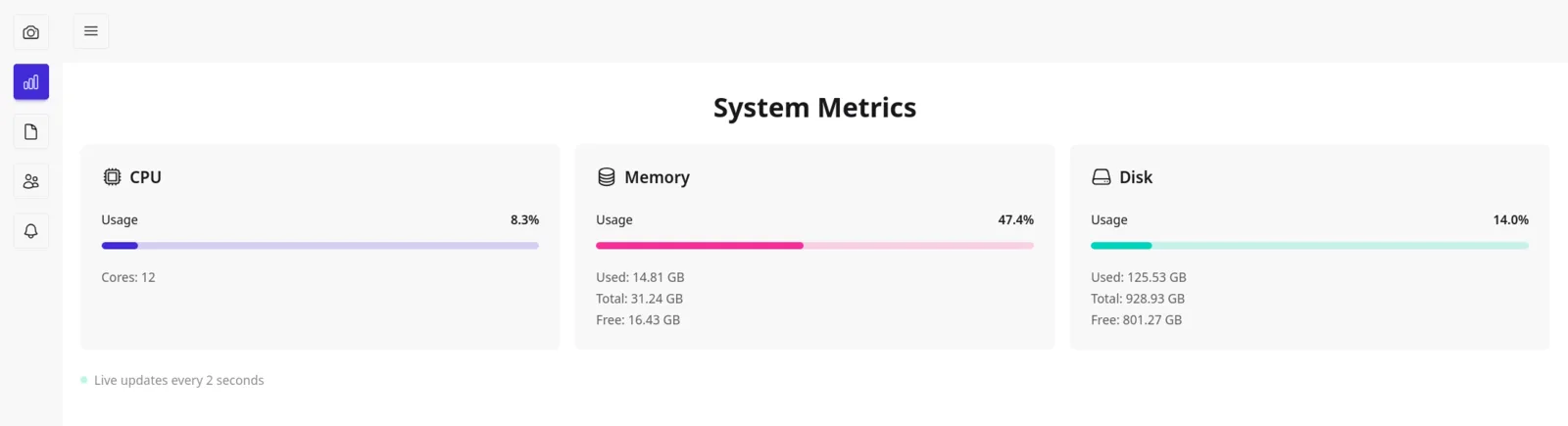
System metrics screen: CPU, memory and disk usage bars with used, total and free values.

Watch the machine, not just the cameras.

CPU, memory and disk of the host, refreshed every two seconds. When space runs low, the oldest recordings are deleted for you, so recording never stops on a full disk.

  1. CPU · memory · disk usage
  2. Live, every 2 seconds

The recording side, in plain terms.

What Observatio does with every camera you add, from the stream coming in to the file you take away.

Input
RTSP stream
Any IP camera that gives you an rtsp:// link
Recording
Continuous, rotated daily
One recording per camera per day
Playback
HLS
Drag the timeline cursor anywhere in the day, no wait
Export
A whole day as .mp4
Converted by a background job
Disk
Automatic cleanup
Oldest recordings go first when space runs low
Alerts
Telegram
A message when a camera disconnects
Access
Multi-user
Rights set camera by camera
Interface
English · Français
Light and dark theme

One image, three jobs.

The same Docker image runs three times; APP_TYPE decides what each container does. MariaDB keeps the accounts and cameras, Redis carries the job queue, and a shared volume holds the recordings.

IP cameras
recorder
storage volume
queue HLS → MP4 · cleanup
web :3333
your browser
Cameras send RTSP to the recorder, which writes HLS segments to the storage volume. The queue converts them to MP4 and cleans up old recordings. The web container serves them to your browser on port 3333.
APP_TYPE=web
The interface on port 3333: cameras, playback, users, alerts, logs, metrics. Runs migrations on start.
APP_TYPE=recorder
Connects to every camera and writes its stream to disk, day after day.
APP_TYPE=job
Works through the queue: MP4 exports and removal of old recordings.

Running in four steps.

You need a Linux machine with Docker and the compose plugin, on a network where it can reach your cameras.

  1. Fetch the compose file and the example config.

    curl -O https://raw.githubusercontent.com/juliendu11/observatio/master/docker-compose.prod.yml
    curl -o .env https://raw.githubusercontent.com/juliendu11/observatio/master/.env.example
  2. Fill in .env.

    Leave APP_TYPE alone, the compose file sets it per container. Change these:

    NODE_ENV=production
    HOST=0.0.0.0
    APP_KEY=# long random string, e.g. openssl rand -hex 32
    ROOT_USER_EMAIL=# first admin account
    ROOT_USER_PASSWORD=
    DB_USER=observatio
    DB_PASSWORD=
  3. Start the five containers.

    docker compose -f docker-compose.prod.yml up -d
  4. Open http://localhost:3333 and sign in.

    Use the root account from .env, then add your first camera with its RTSP link.

Bugs, questions, a camera that won’t connect: the issues are open.

Open an issue